
How AI Supports the Entire Video Production Process

I'm about to give y'all so much free sauce it's not even funny. We make millions of dollars every year purely off leads coming from content we post. Content works, and if you know that, you're already ahead of the game. In a landscape where it's becoming easier and easier to churn out content with the help of AI, the last remaining moat is retaining your authentic voice and boosting your production value.
I was the biggest skeptic of AI video editing. Until recently. So I asked one of the most talented creators I know, Anthony Dupont-Cinko, to break down exactly how AI can support the entire video process. The guy cooked.
Here's the thing: right now AI mostly solves two genres. The video essay and the tutorial. Both have a straightforward outline, a script you stick to, and a one-shot record that AI can chop against.
Research and Ideas Without Losing Your Voice
Use AI to find opportunities and pull source material from tools and team discourse. You still decide what's worth saying. Don't outsource final sign-off.
Hook Ahrefs into Claude and Notion and ask something like: use the Ahrefs connector to find AI content opportunities this week, and tell me if videos already sit in the top five. I've got my research tool hooked up with my Notion database, and I'm able to use that to figure out content opportunities. The nice thing about using this is that you avoid having to log into a bunch of different tools and cross-reference. You can just talk using your natural language.
Tribal Knowledge is the other half. It's a skill that scrapes every connector you have, like Slack, Notion, and meetings, and surfaces real conversations around a topic so the idea comes from work talk. Turn that into a personalized daily brief. Every day it drops a brief, proposes video topics, and lets you queue the ones you like. Even on Opus, a daily brief runs about 8 cents.
Do as much as you can to avoid asking AI to write it for you. It's crucial at this phase that you're looking at what opportunities are out there, going off your own personal notes or conversations you've had with others, so you can retain your real human voice.
Script and First Edit With AI Assistants
AI helps you outline and cut. You keep the words, the takes, and the judgment. Editing isn't just about hitting the blade button. It actually comes down to taste.
Create the outline as a human. My format is three columns: dialogue, visuals, and sound effects. Then use the Scriptwriter skill. It interviews you through the whole creative process so you speak like yourself. Beat by beat it spits your words back as bullets. You react raw in the moment. Those reactions become the real script.
The great part about this skill is that it does reaction prompts beat by beat. It basically spits back to me what I said in bullet form, and I can react to it raw in the moment, and it'll use those raw reactions to write the real script. I love how it prompts me to think about visuals as I'm going. It really just gets my creativity going.
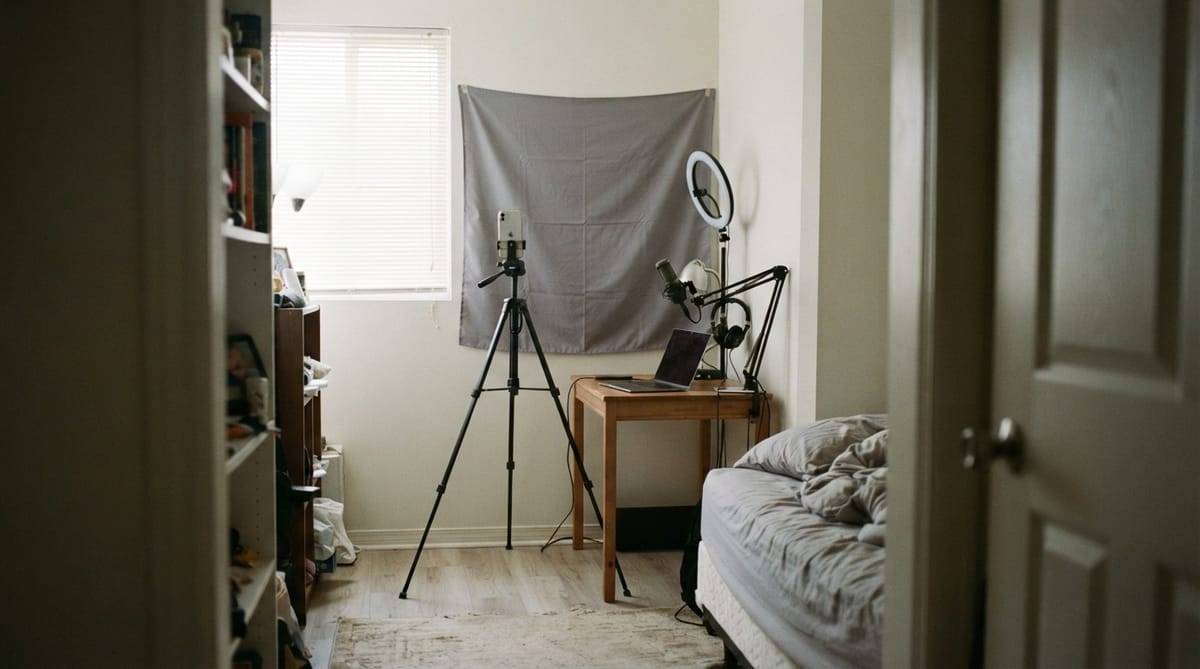
And here's the part I can't emphasize enough: film it yourself. I don't think you should resort to those HeyGen AI avatars. There's nothing like the craftsmanship of just doing it yourself when it comes to recording. Whether that's with an iPhone on a tripod, handheld, or the craziest camera setup in the world. In this content landscape, authenticity and your unique knowledge is key.
Split Editing Into Three Distinct Phases
When I think of video editing, there's a few different phases. There's the baseline edit, the radio cut, basically cutting up the dialogue and getting the pacing down. Then there's VFX, archival footage, and B-roll, all the extra stuff that goes on screen. And finally, there's audio, which is mixing your dialogue, plus SFX and music.
I compared GPT-6 Astra and an MCP for Final Cut versus the long-running champ, Descript. I went to Codex and told it to use the Final Cut MCP to cut down a baseline edit of my video, showed it where the footage is and where the script is to follow.
The first pass had half-second gaps of silence. One follow-up prompt, "every single clip was consistently half a second off, there are gaps of silence," and it worked for another 11 minutes and produced a fluid cut with no awkward pauses, dropped straight into Final Cut. No gaps, very fluid, didn't leave in any awkward pauses or awkward moments, and it's just so insane that I didn't even have to touch Final Cut.
Now, does it know which take was better than the other one? No, I don't think it has any way to know that because it's not actually listening. It's transcribing the video files and then cutting at the start and end of each transcription.
Codex Beat Descript on Taste Cleanup
Descript has been in the game for a long time. They basically hop from trend to trend for what the casual editor needs most. I gave it the same prompt, gave it my footage, let it know what I wanted. It produced this very lengthy plan of what exactly it was going to cut. Let's be honest, I'm not reading that, you're not reading that. It's just a waste of time.
The first results were very disappointing, even worse than what GPT-6 Astra had done in Final Cut. After watching the full thing, I didn't really love what Descript did. I still noticed a lot of points where it actually cut off my speech and there were more long and awkward pauses than the one that Astra had done.
When it comes to cost, it was very context heavy to work with GPT-6 Astra. Just those two prompts took me from 100% down to 14% of my 5-hour context window. But when you look at my weekly usage, I've still got 53%, and I'm using Codex for everything, pitch decks, research, making more content with it. Your $20 goes a pretty long way. Just break it up, couple prompts at a time over the course of your day.
Descript, on the other hand, the AI models are expensive. Just that simple cut down used 47 out of 400 AI credits, and that was with auto. I used 10% of what I can use in a whole month on Descript, and I maybe used 10% of what I can use in a whole week with Codex. But at the end of the day, it wasn't as perfect of a cut as what Codex had made.
I give Codex five stars. Took about 16 minutes in total. Descript I give three stars because it still needs more human adjusting. It took about 8 minutes, but that's not accounting for the time I'm going to have to spend exporting the video from Descript into my main editor.
Hand Off the Laborious Extras to AI
B-roll, archival, VFX, motion graphics, music, and reporting. Keep the taste calls for yourself.
The thing that blew my mind is that GPT-6 Astra actually has taste. Anthony spun up an agent he calls the "archival finder" and gave it a vibe: internety, clicky, and fun. He gave it a reference: simple, warm, approachable using shows, TV, movies. It came back with taste.
I can't believe that I was talking about this guy bringing the map at Six Flags and it had SpongeBob and Patrick looking at the map from that scene. I never would've thought of that. Plus, if you've ever done video essay making, you know how laborious it is to spend all this time downloading clips from YouTube, saving them to the right place, dragging and dropping them into the timeline. It did all of that for me. Plus, it added this nice paper texture in the background. That was just something I asked it to design and it did it.
For motion graphics, there's Remotion plus an agent. I asked for an Apple liquid glass ultra-clean feel. Plan, approve, tweaks, then it popped into the Final Cut timeline in about 9 minutes 10 seconds. Music and SFX I handled through Epidemic Sound via MCP. Mix sat under vocals instead of overpowering them.
Authenticity Remains Your Real Moat
Whether you're just jumping into the content game or you're a seasoned editor and producer, it's crazy how far these tools have come. AI helps you find opportunities, write scripts in your own voice, cut baseline edits, and handle the laborious extras like B-roll and motion graphics.
But here's what hasn't changed: people don't want to see slop. The tutorial and video essay formats work because they have straightforward outlines, scripts you stick to, and one-shot records that AI can chop against. But you have to retain your personal perspective and personal voice. If you're someone thinking about getting more from AI by questioning old habits, this workflow shows you what's possible when you give the tools time and feedback.
The last remaining moat is authenticity combined with production value. AI handles the blade button. You bring the taste.